
Approvals (Coming Soon)
Coming Soon: Approvals is being finished or tested and is not available to turn on yet. This guide describes the expected workflow and may change before release.
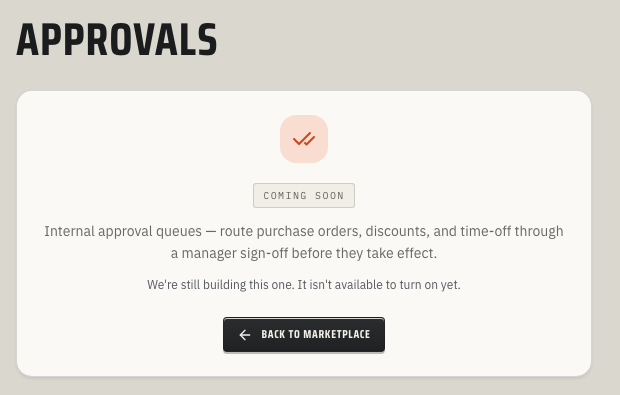
Approvals will help your office route important sign-offs through the right people before work moves forward.
Accounts without the active Approvals workspace will see a coming-soon placeholder. The planned Approvals workflow includes creating approval requests, assigning ordered reviewer steps, recording approve/reject decisions, showing a reviewer inbox, and cancelling requests, but the active customer-facing Approvals workspace is not available yet.
When to use this
Use Approvals when a quote, refund, expense, time-off request, or other high-impact action should not move ahead until a manager or role owner signs off.
Good candidates include:
- high-dollar quotes that need owner review before sending
- refunds, credits, or write-offs that require manager approval
- technician reimbursement requests that need office review before payment
- time-off requests that affect the schedule
- change-sensitive workflows where every decision needs a short comment trail
What to prepare now
Before the Approvals workspace is generally available:
- List the workflows that need approval and who owns each decision.
- Decide which requests can use one reviewer and which need ordered multi-step review.
- Name the role or person responsible for each step, such as service manager, office manager, owner, or bookkeeper.
- Decide what information reviewers need in the request title, description, and supporting record.
- Set expectations for how quickly reviewers should approve, reject, or ask for changes.
Expected workflow
When the full workspace is available, an approval request should follow this pattern:
- A connected ToolbagCRM workflow creates a request with a title, description, related record, and approval point.
- ToolbagCRM assigns one or more reviewer steps in order.
- Each reviewer sees open items in their approval inbox.
- The assigned reviewer approves or rejects their step and can leave a comment.
- The request resolves once the required steps are complete, or it can be cancelled if the original work no longer needs approval.
Current availability
The active Approvals workspace does not yet expose an inbox, settings screen, or request builder in customer accounts. The screenshot above shows the current coming-soon state rather than a fabricated workflow.
If your team needs approval controls before this workspace is live, keep the approval rule in the source workflow for now. For example, document who can send high-value quotes, who can approve reimbursement reports, and when a manager must review a customer credit.
Tips
- Start with one approval workflow before adding rules to every office process.
- Keep the first rule simple: one trigger, one request type, and one required reviewer.
- Use clear titles so reviewers can understand the request without opening several records.
- Avoid routing everything to the owner by default; assign the person closest to the decision.
- Review stale pending requests weekly so work does not get stuck in limbo.
Troubleshooting
The page still says Coming Soon
The active Approvals workspace is not generally available yet. Use this page to plan rules and reviewer ownership, then keep today’s approval expectations inside the source workflow until ToolbagCRM exposes the full Approvals inbox and request builder.
A request cannot be submitted
Every approval request needs an approval point, a clear title, and at least one reviewer step with an assigned user. If any of those are missing, ToolbagCRM blocks the request instead of creating a pending approval that no one can act on.
A reviewer cannot approve or reject a step
Only the user assigned to the current step can decide it. If a different teammate opens the request, or if an earlier ordered step is still waiting, ToolbagCRM keeps the request pending and prevents that decision from being recorded.
A request was already decided or cancelled
Approvals are one-decision-per-step. After a step is approved, rejected, or skipped because the request was cancelled, the same step cannot be decided again; create a new request if the underlying quote, refund, expense, or time-off item still needs review.