
HR
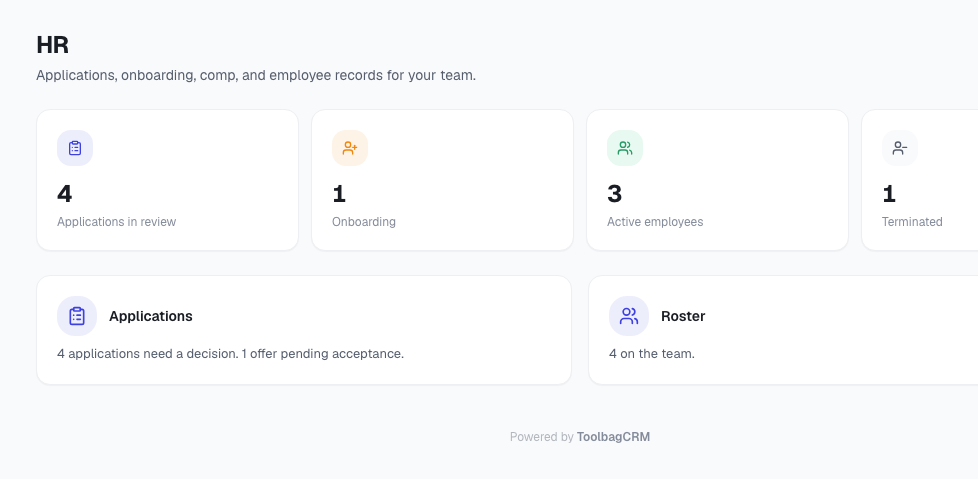
Use HR to manage hiring applications and employee records from the same place your team already manages work.
HR is built for contractor and home-service teams that need a simple way to review applicants, hire them into the team roster, and keep basic employment details organized without running a full payroll system inside ToolbagCRM.
What HR helps you manage
The HR area includes two main workspaces:
- Applications — review incoming candidates, track their status, and decide who should move forward.
- Roster — view team members with HR profiles, onboarding status, classification, compensation type, address, emergency contact, and tax ID hints.
The HR dashboard also shows quick counts for applications in review, employees in onboarding, active employees, and terminated records.
Applications
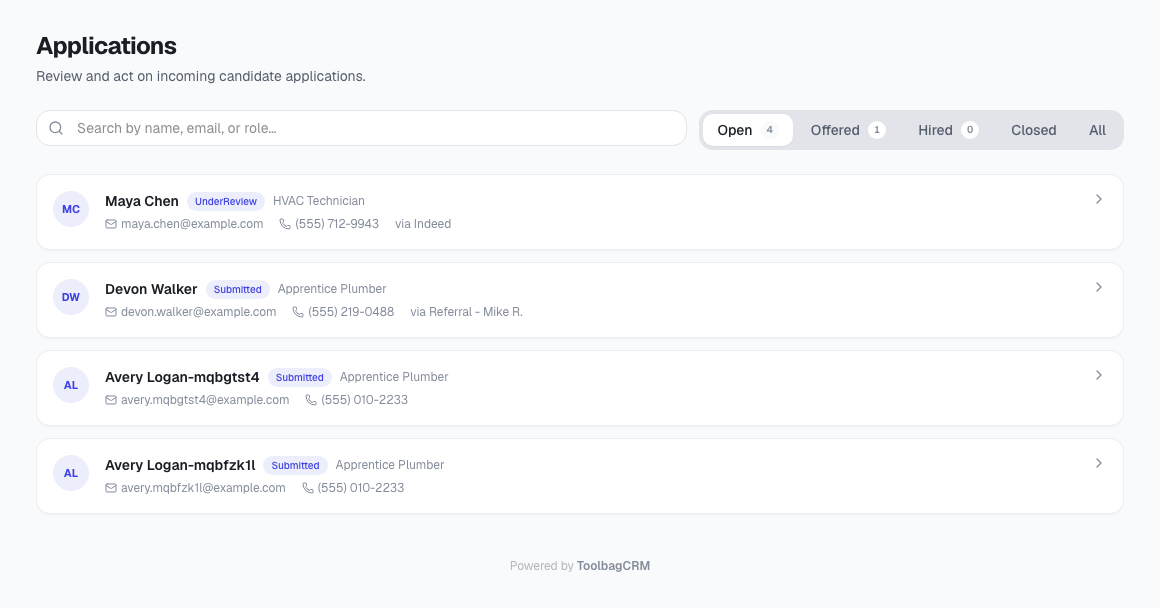
Use HR → Applications to review candidate submissions.
You can:
- Search applications by candidate name, email, or desired role.
- Filter applications by open, offered, hired, closed, or all records.
- Open an application to review the candidate's contact details, desired role, source, cover letter, and reviewer notes.
- Move the application through statuses such as submitted, under review, offered, rejected, withdrawn, and hired.
When an applicant is hired, ToolbagCRM creates the team member and connects the new HR profile back to the application, so you retain the hiring history.
Roster and HR profiles
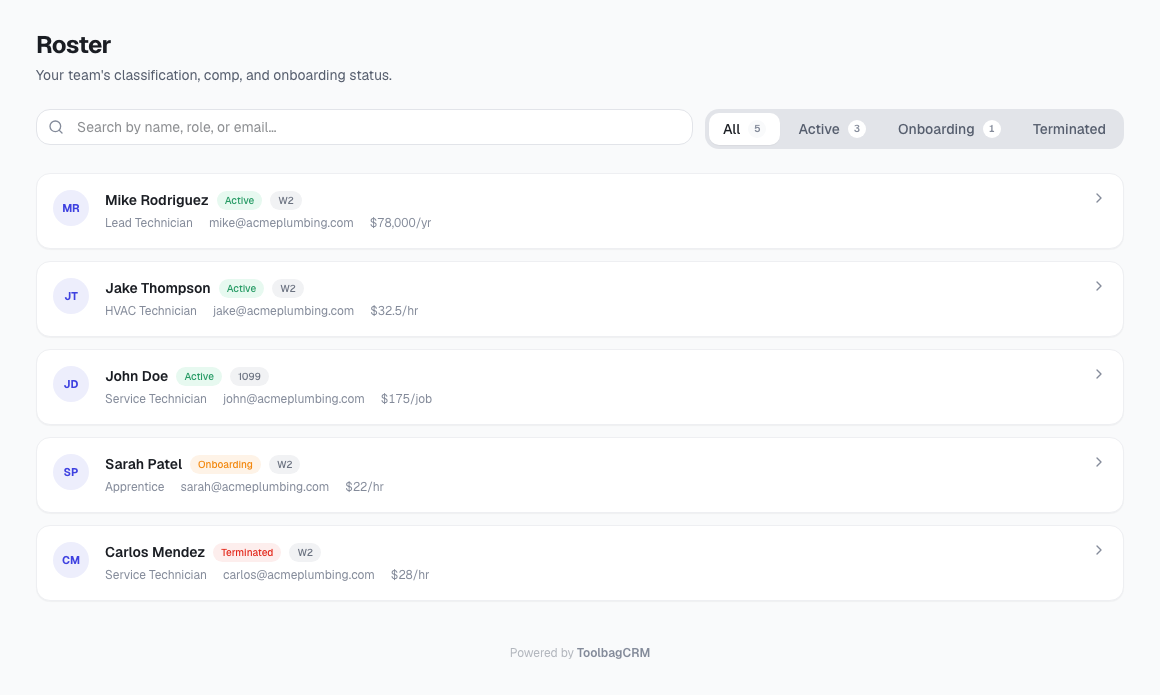
Use HR → Roster to review people who have HR profile records.
A profile can store:
- Employment classification, such as W-2 employee, 1099 contractor, subcontractor, or volunteer.
- Employee status, such as onboarding, active, on leave, terminated, or rehirable.
- Hire and termination dates.
- Whether the person is eligible for rehire.
- Pay rate type and amount, such as hourly, salary, or per-job.
- Address and emergency contact details.
- Tax ID type and last-four hint.
- Whether onboarding is complete.
The roster can be filtered by all, active, onboarding, or terminated employees.
Recommended workflow
- Enable HR from Settings → Features if it is available on your plan.
- Review new candidates in HR → Applications.
- Update each candidate's status as your team reviews, offers, rejects, or hires them.
- Hire accepted candidates from the application detail page.
- Open the new team member's HR profile and fill in classification, status, pay type, emergency contact, and onboarding details.
- Review onboarding and active employee counts from the HR dashboard during weekly admin review.
Current product notes
- HR stores basic compensation information for reference; it is not a payroll tax engine.
- The current HR profile supports one pay rate type at a time: hourly, salary, per-job, or none.
- Tax ID fields are intended as hints, such as type and last four digits, not full sensitive tax ID storage.
- Applicant confirmation emails and automatic onboarding workflows are not sent by the current HR plugin by itself.
- Keep sensitive employee information limited to what your business actually needs to operate.