
Equipment Rental
Use Equipment Rental when your business rents equipment to customers and needs to know what is available, what is currently out, and what is overdue.
The plugin is useful for restoration, landscaping, roofing, painting, construction, and other trades that rent items such as dehumidifiers, air movers, scaffolding, lifts, or specialty tools.
How it works
Equipment Rental has two main tabs:
- Units — the catalog of individual rental items you own.
- Contracts — customer rental agreements for units that are currently out, returned, overdue, or lost/damaged.
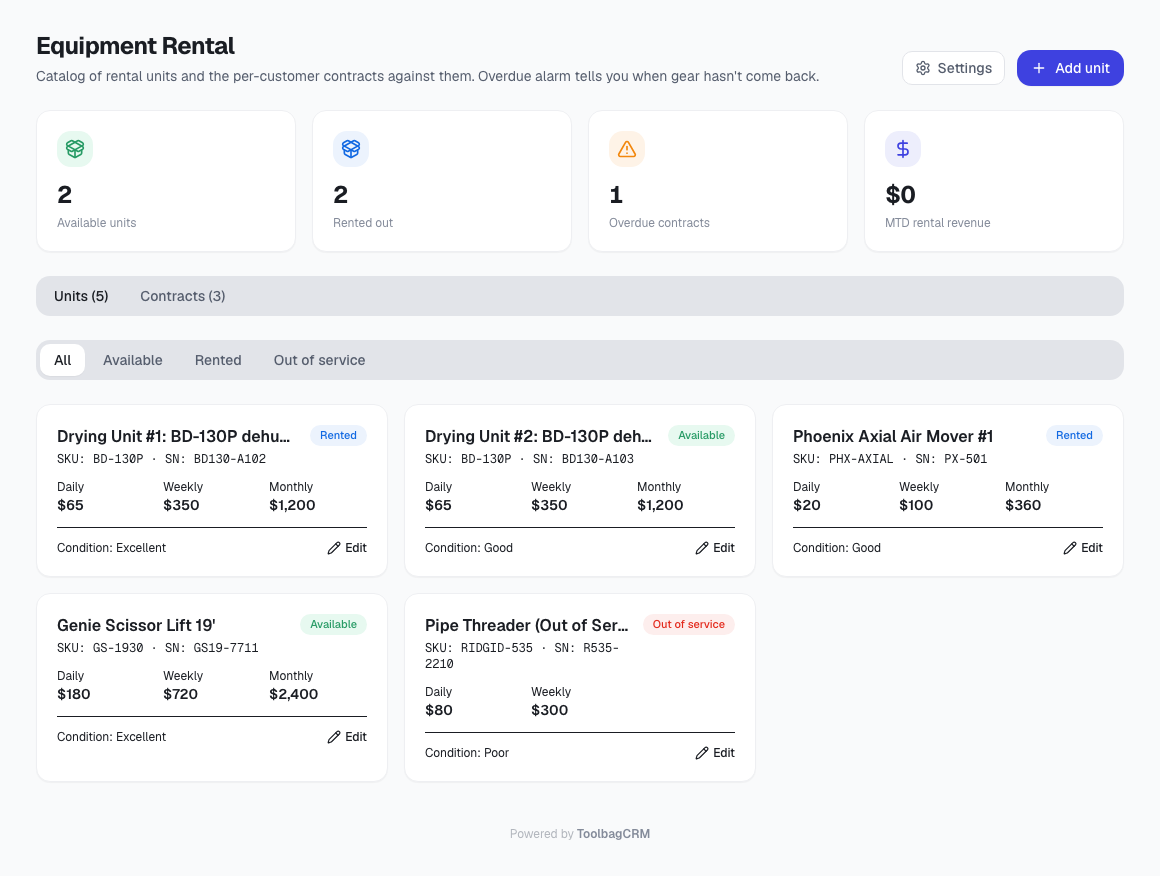
Rental units
For each unit, you can track:
- Name
- SKU
- Serial number
- Daily rate
- Weekly rate
- Monthly rate
- Replacement cost
- Condition: Excellent, Good, Fair, or Poor
- Notes
Units can be filtered by:
- Available
- Rented
- Out of service
You can add a unit, edit a unit, retire a unit, or delete a unit when it does not have an active contract.
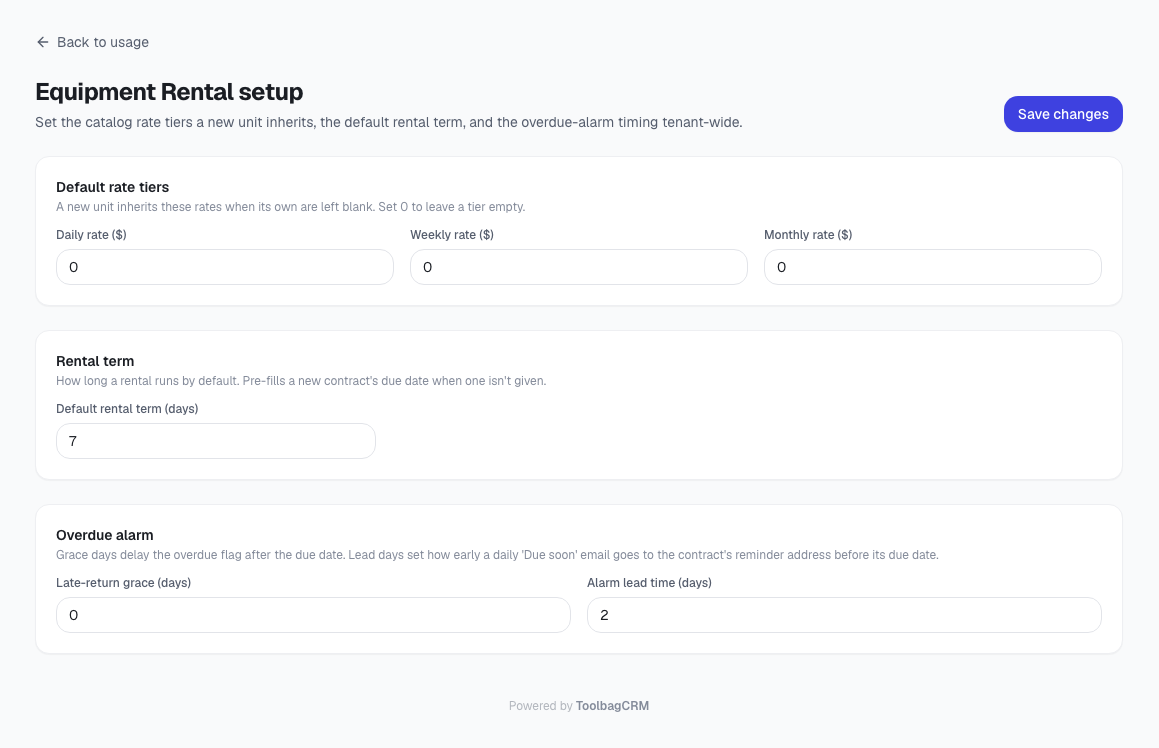
Rental contracts
A contract records a customer rental for a specific unit. Contract details include:
- Rental unit
- Customer
- Related job, when applicable
- Start date
- Due date
- Agreed rate
- Return date
- Total charged
- Notes
Contracts can be filtered by:
- Active
- Overdue
- Returned
- Lost / damaged
You can open a contract, return a contract with the final charged amount, mark a contract lost or damaged, and delete returned or non-active records when appropriate.
Dashboard counts
The page shows quick stats for:
- Available units
- Rented-out units
- Overdue contracts
- Month-to-date rental revenue
Recommended workflow
- Enable Equipment Rental from Settings → Features.
- Add each rentable unit with its rate, serial number, condition, and replacement cost.
- Open a contract when a customer takes a unit.
- Watch the Overdue contracts count and filter to follow up on late returns.
- Return the contract when the equipment comes back, including the total amount charged.
- Mark the contract lost/damaged if the unit does not come back in usable condition.
Current product notes
- A unit cannot be rented to a new customer until its current active contract is returned or otherwise closed.
- A unit with an active contract cannot be deleted.
- The plugin tracks rental revenue entered on returned contracts; it does not create invoices automatically in the current implementation.